Deactivate an agent
Take an agent off your website without losing their profile, properties or leads.
- Admin
- ⏱ 1 min
- Updated October 6, 2026
Find the agent
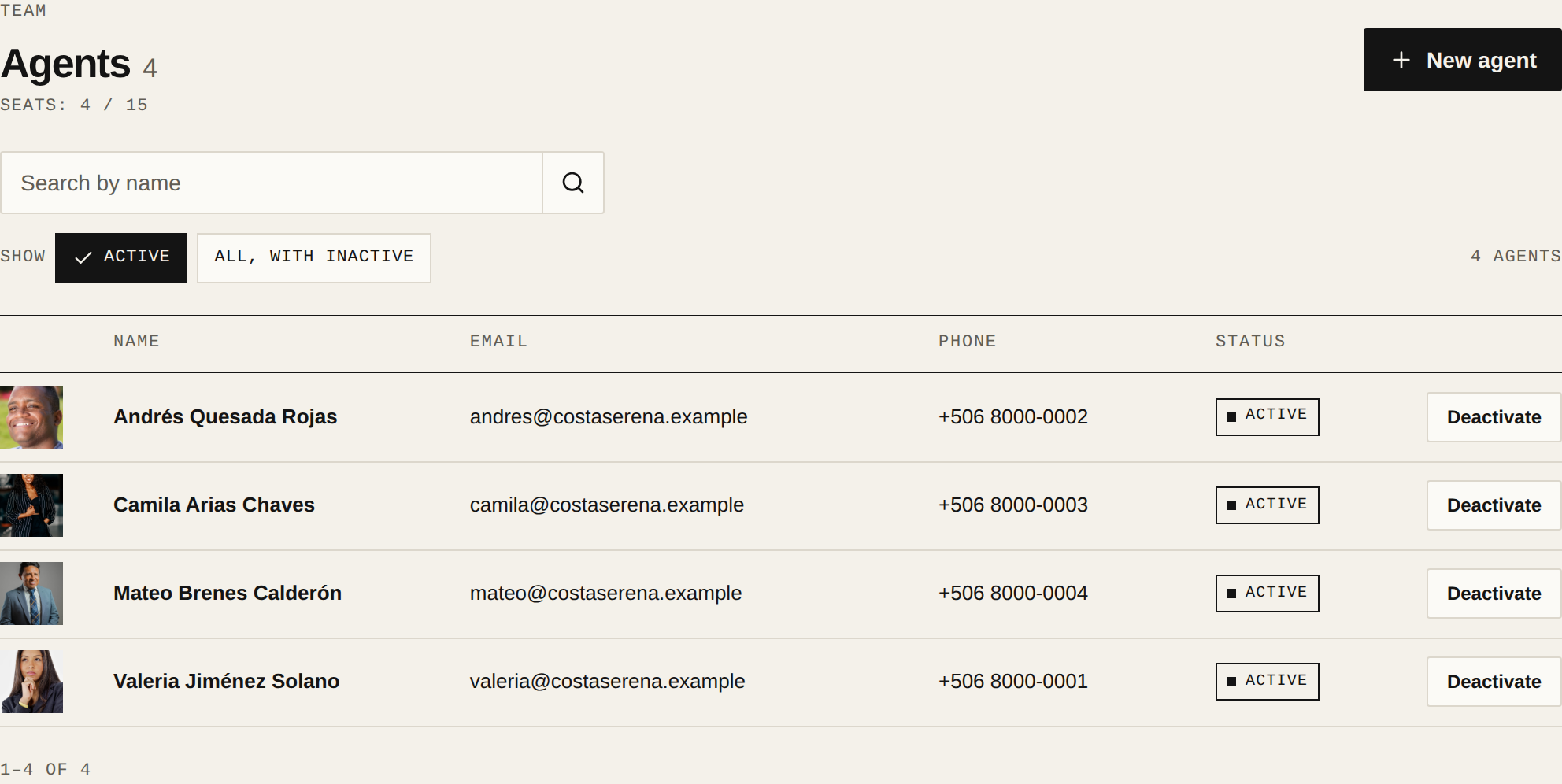
In Agents, search for the agent by name. In the Actions column of their row, tap Deactivate. There's also a Deactivate button at the top of their profile.
Decide where their leads go
If the agent owns open leads, the dialog says how many. Under Move them to, pick another active agent, or leave it on Unassigned so anyone can claim them.
Confirm
Tap Deactivate. The agent leaves your website and the list, but their profile and properties are kept. Their seat on your plan is freed.
Reactivate them if they come back
Under Show, pick All, with inactive and open the agent. Under Status, turn on Active and tap Save changes. You need a free seat on your plan.
Related articles
Did this help?