📘 How it worksConnect other apps
Webhooks for Zapier and Make, API keys, and widgets to show your listings on another website.
- Admin
- ⏱ 1 min
- Varies by plan
- Updated October 6, 2026
Webhooks, for Zapier and Make
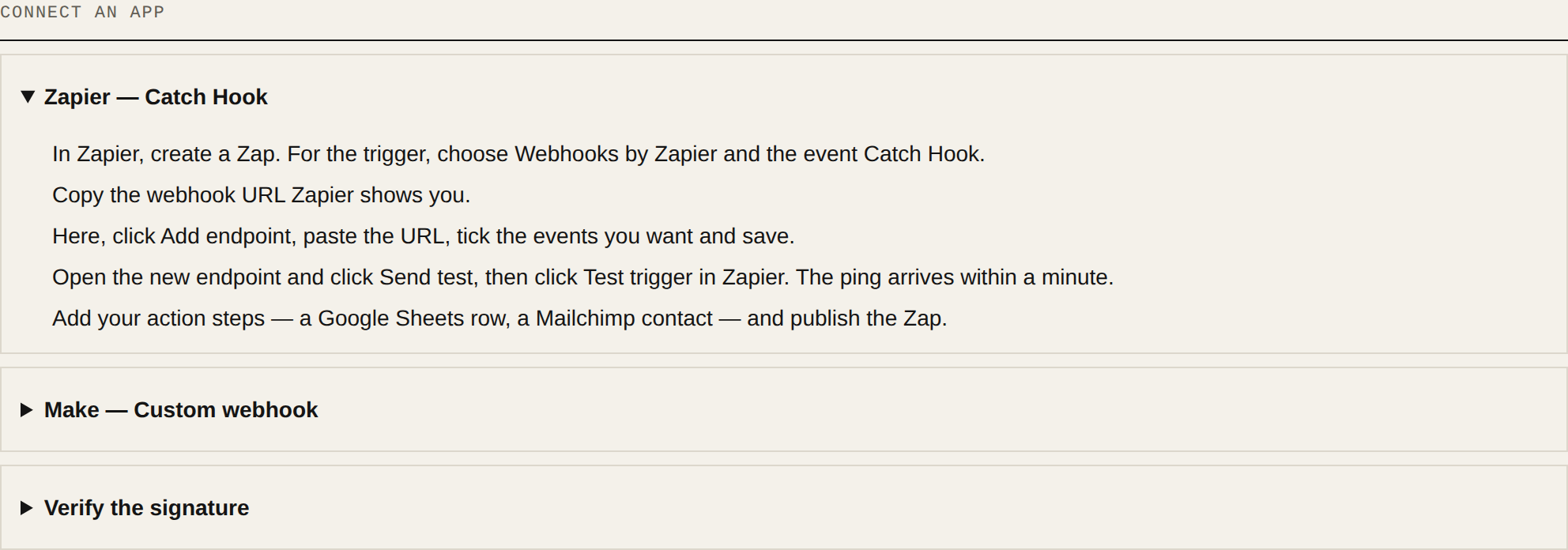
In Integrations, the Webhooks tab sends your leads, inquiries, completed activities and listing changes to another app the moment they happen. Tap Add endpoint, paste the URL Zapier or Make gave you, tick the Events and tap Save endpoint. Copy the signing secret: it's only shown that once. Open the endpoint and tap Send test to try it. The steps for Zapier and Make are below, under Connect an app.
API keys, to read and write
In API keys, tap Create API key, name it after the app and give it only the Scopes it needs. The key is only shown once, so paste it into the app straight away.
Widgets, for your other website
In Website widgets, add your site under Allowed origins and tap Save websites. Then build a widget, check the Preview and tap Copy snippet to paste it into your page. Inquiries that come in through a widget show up in your Leads.
Hiding the badge is Agency and up
Widgets show "Powered by letsrealty". On the Agency or Enterprise plan you can turn it off with Hide “Powered by letsrealty”. On other plans, you'll see a See plans link.
All the technical documentation is on the developers page.