Improve how you show up on Google
Write the title and description that Google and other search engines show for each page of your site.
- Admin
- ⏱ 1 min
- Updated October 6, 2026
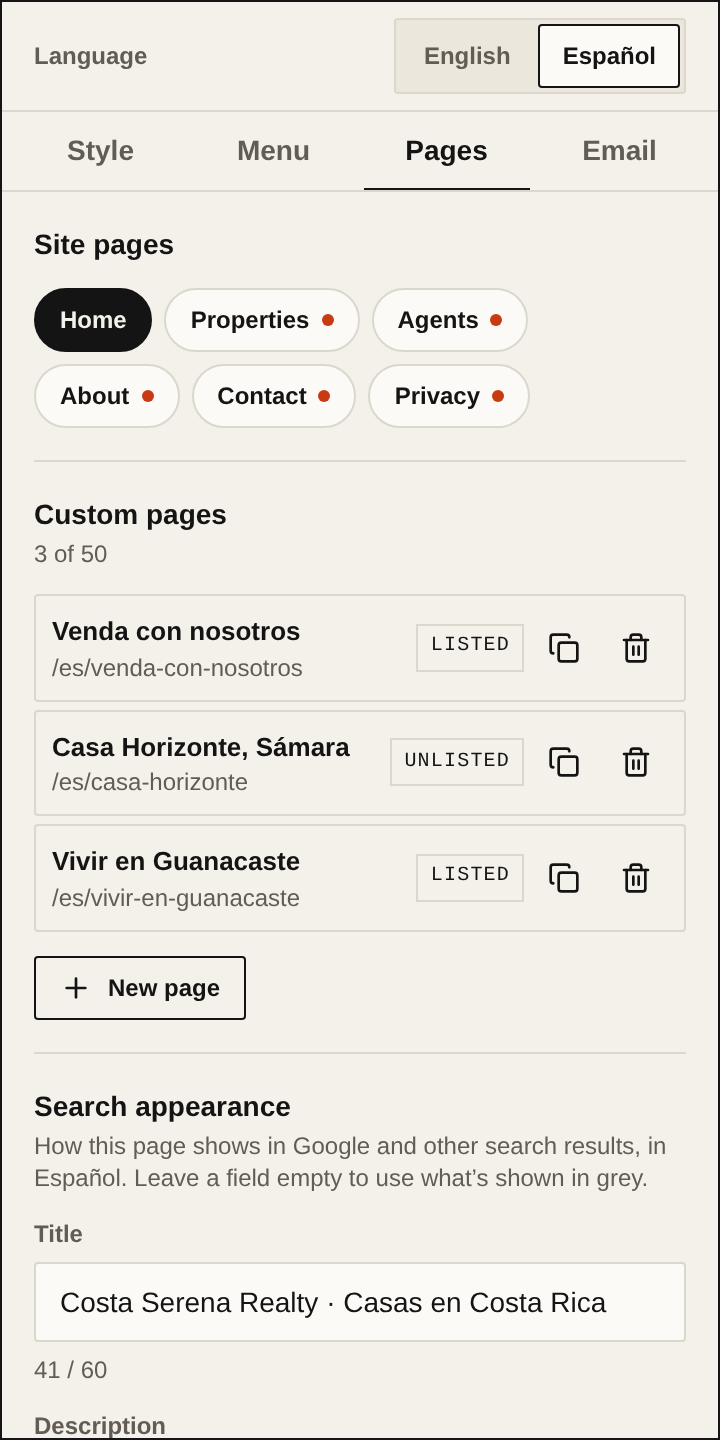
Open the Pages tab
In Website, tap the panel's Pages tab.
Choose a page
Under Site pages, tap the one you want to improve: Home, Properties, Agents, About, Contact or Privacy. A dot next to the name marks a page with no description in that language.
Write the title
Under Search appearance, fill in Title, up to 60 characters. If you leave it empty, the text shown in grey is used.
Write the description
Fill in Description, up to 160 characters. Say what visitors find and where, for example "Houses and lots for sale in Escazú and Santa Ana".
Check the preview
Below the fields, you see how the search result would look, with the address, title and description.
Repeat in the other language
If your site is in two languages, switch the Language at the top of the panel and write that language's title and description.
Publish
Tap Publish. Google shows the changes when it next visits your site, not straight away.