Upload your logo and favicon
Add your logo, a version for dark backgrounds, the browser tab icon and your site's name.
- Admin
- ⏱ 1 min
- Updated October 6, 2026
Open Identity
In Website, open the Style tab and scroll down to Identity, at the end.
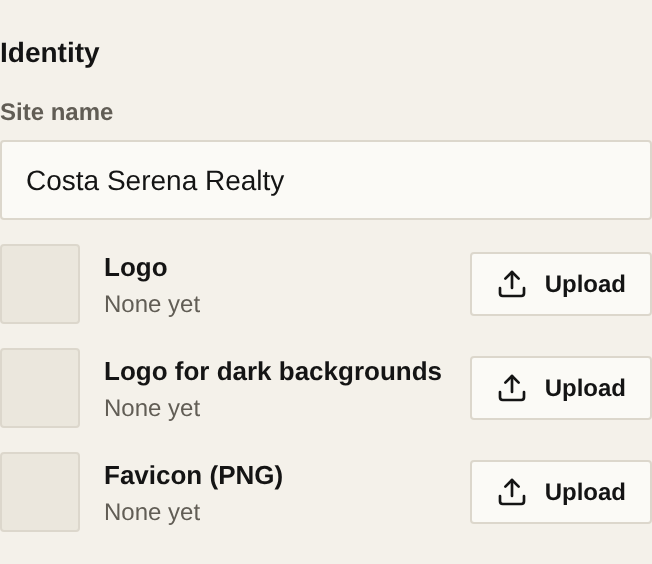
Check the site name
In Site name, type what your business is called. Your site uses it in page titles and the footer.
Upload your logo
In Logo, tap Upload and choose the image. It can be a JPG, PNG, WebP, AVIF or GIF of up to 10 MB. A PNG with a transparent background usually looks best.
Add the version for dark backgrounds
If your logo doesn't show up on dark colours, upload a light version in Logo for dark backgrounds. It's optional.
Upload your favicon
The favicon is the small icon in the browser tab. In Favicon (PNG), tap Upload and choose a square PNG.
Publish
Tap Publish so your visitors see your logo and favicon.
Related articles
Did this help?