Set your password and complete your profile
From the invitation email to a profile with your photo, phone and bio, the one your site shows beside your properties.
- Agent
- ⏱ 1 min
- Updated October 6, 2026
Set your password
Open the link in your invitation email. Enter your New password, repeat it in Confirm password and tap Set password. The link expires in 7 days; if it has, ask an admin to send you a new one.
Sign in
Once it's saved, you land on the sign-in screen. Sign in with your Email and the password you just set.
Open My profile
In the menu, tap My profile. You can also get there from Home: in Getting started, tap Open next to Complete your profile.
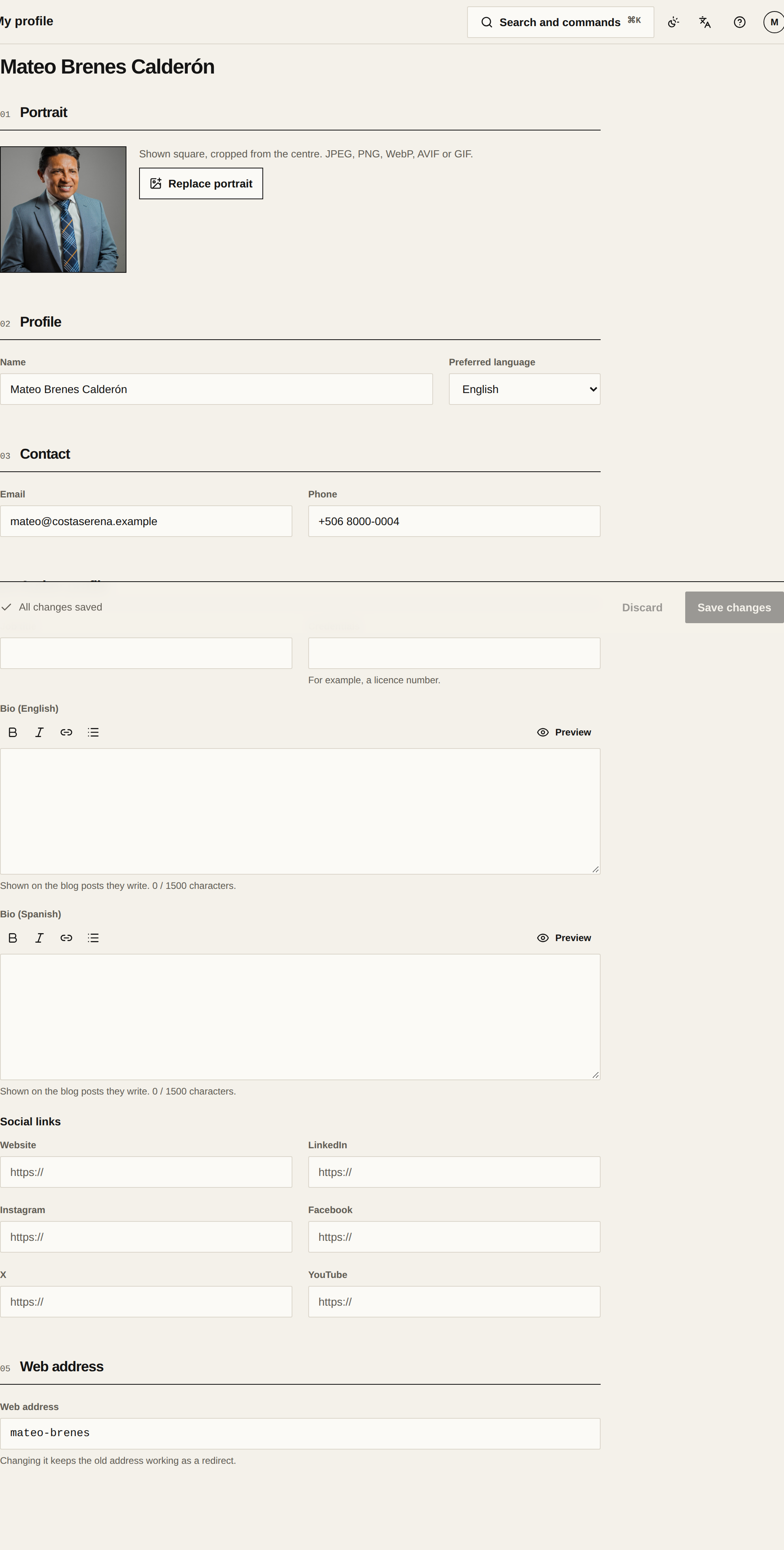
Upload your portrait
In Portrait, tap Add portrait and pick a photo. It saves on its own as soon as it uploads, and shows square, cropped from the centre.
Add your phone and bio
In Contact, fill in your Phone. In Author profile, write your bio in English, Spanish or both. Your site shows it on your page and on your blog posts.
Save your changes
Tap Save changes in the bar at the bottom. With a photo, a phone and a bio, the Complete your profile step is ticked off in Getting started.