📘 How it worksHow visitors search your listings
Your site's filters, map and PDF brochure, and which details of your listings each one uses.
- Admin
- Agent
- ⏱ 1 min
- Updated October 6, 2026
Filters
On the listings page, visitors filter by sale or rent, location, type, price, bedrooms and amenities, and sort by newest or by price. Location offers your Areas and the Places where you have listings, so a good Place and tidy Areas help people find them. If your site has a search on Home, it leads to this same page, already filtered.
The map
While Map view is on in the site editor, as it is to start with, visitors switch between "List" and "Map". Each listing sits on the map at its Map pin; tapping it shows its card. Listings with no pin are left off, and a note says how many.
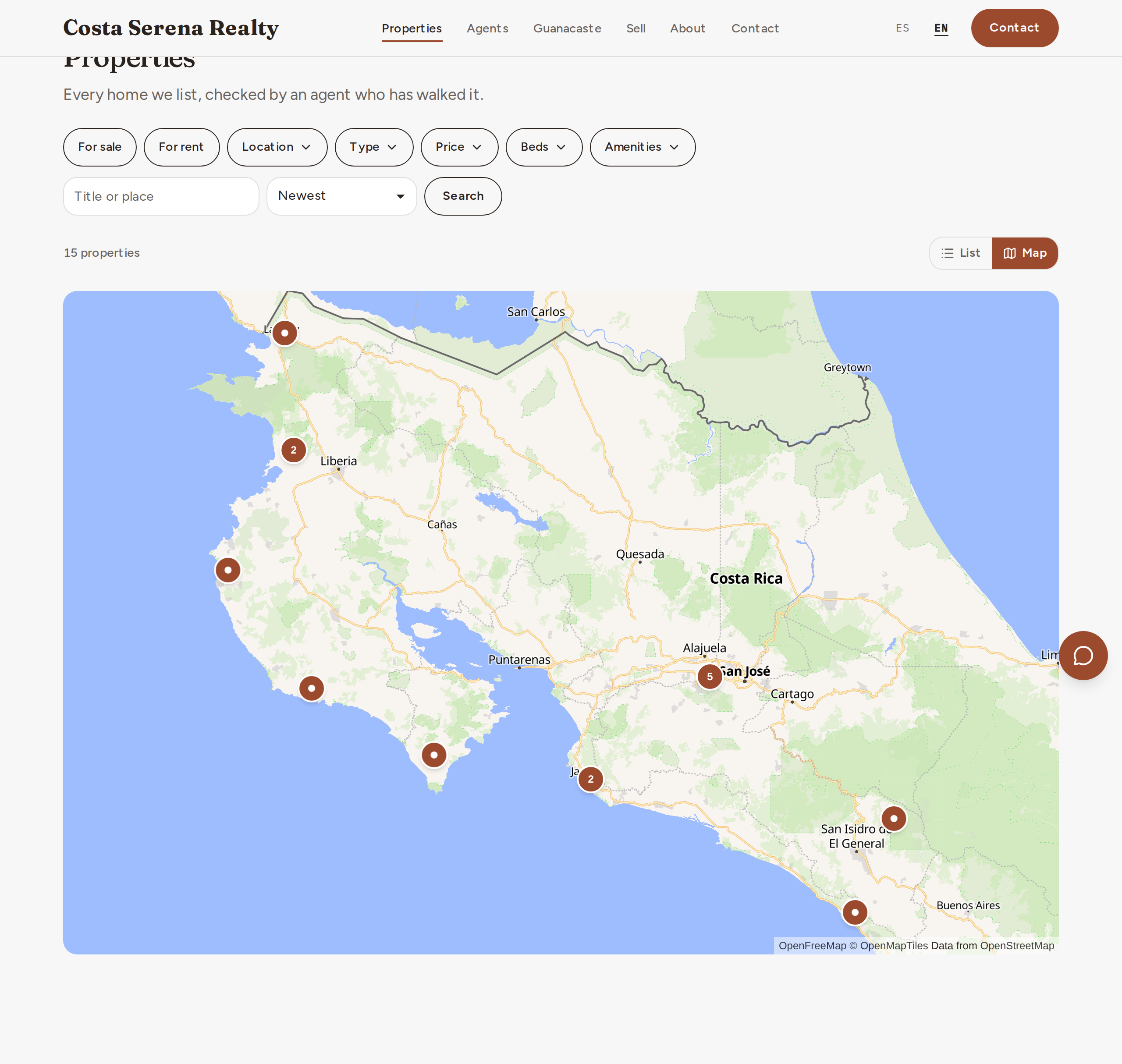
On each listing's page, Show on the site as decides what's shown: with Exact, the pin and the address; with Approximate, an area of about 1 km and the words "Approximate location".
The PDF brochure
On each listing's page, "Download brochure" saves a PDF ready to print or forward: photos, price, details, description, amenities and a QR code that opens the listing on your site. It carries your logo and colour, and the contact details of its Agent or, if it has none, your agency's. From "Share", visitors can also send the brochure on WhatsApp.