Move over from Wasi
Bring your agency from Wasi to LetsRealty with your company id and token: listings, contacts and agents. Keep working in Wasi until the day you switch.
What moves over
Your listings
With their photos, unpublished ones included.
Your contacts
They become leads at their stage, linked to their listings. Nobody gets notified.
Your agents
Wasi users in charge of a listing or a contact become agents.
Sold listings, contacts with no email or phone, and tasks don't come over.
How it works
Copy your Wasi token
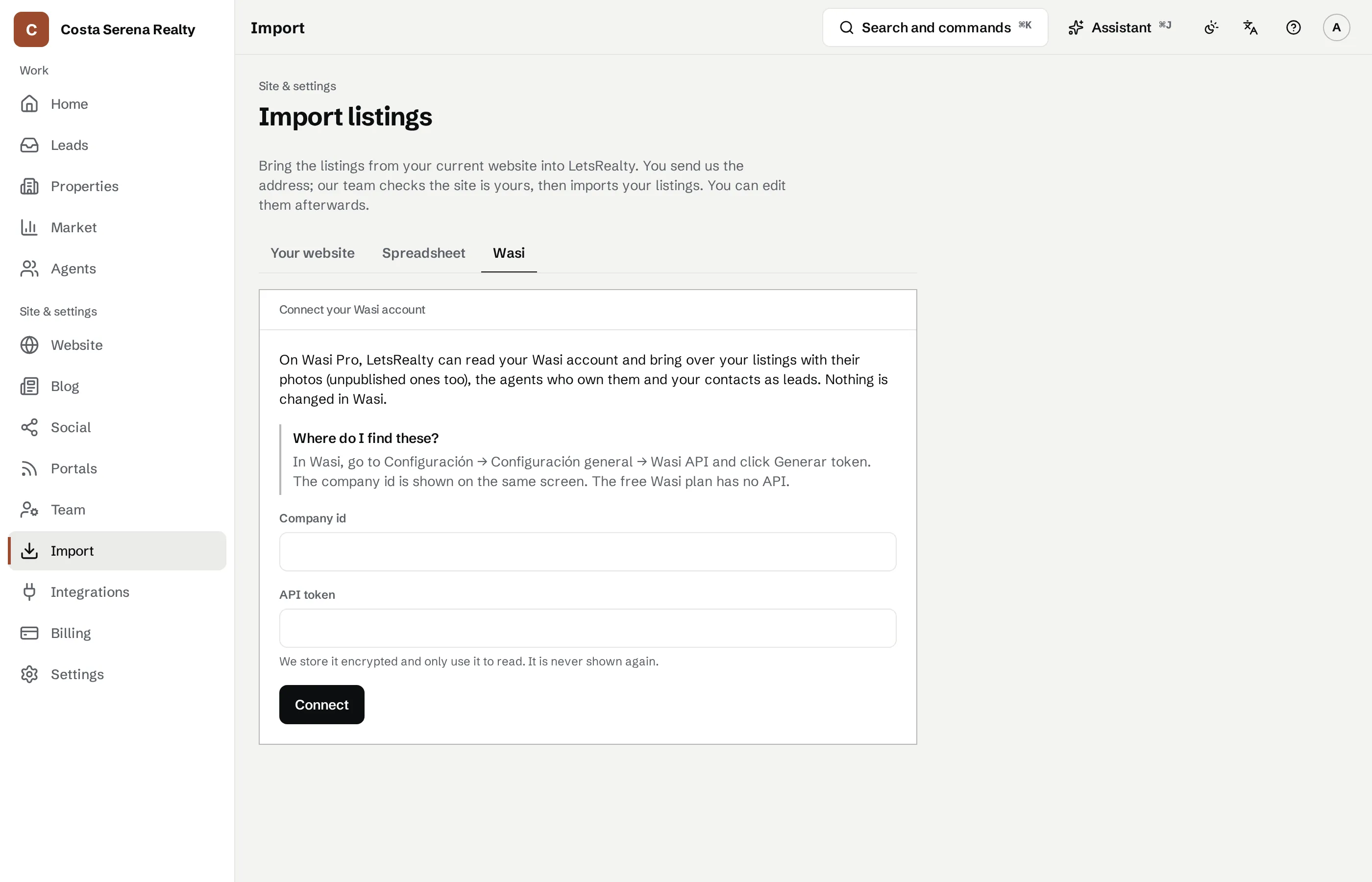
In Wasi, under Configuración → Configuración general → Wasi API, generate the token and copy your company id. Only Wasi Pro has the API.
Connect it in LetsRealty
In Import, paste them into the Wasi tab and tap Import. The log shows each step.
Import again before you switch
It only brings what's new and never changes a lead you already have. When you switch, disconnect and revoke the token.
Migration is free
On any plan. If you don't have Wasi Pro, send us your site's address and our team brings your listings over.
Move over from Wasi
Connect your Wasi Pro account and we bring over your listings with their photos, your contacts and your agents. Import again as often as you like before you switch; nothing changes in Wasi.
Try it free for 14 days
Pick your address and your site is live straight away, no card needed. Rather talk first? Message us on WhatsApp.