See why you lose leads
Count the leads lost in a period by their reason, and open the list for each one.
- Admin
- Agent
- ⏱ 1 min
- Updated November 4, 2026
Open the breakdown
Go to Leads and tap Why we lose leads, at the top of the list in the app too. You see how many became Lost in the Last 90 days, counted by reason, from the most common down. Not given comes last: those are the ones an integration or an import closed without saying why.
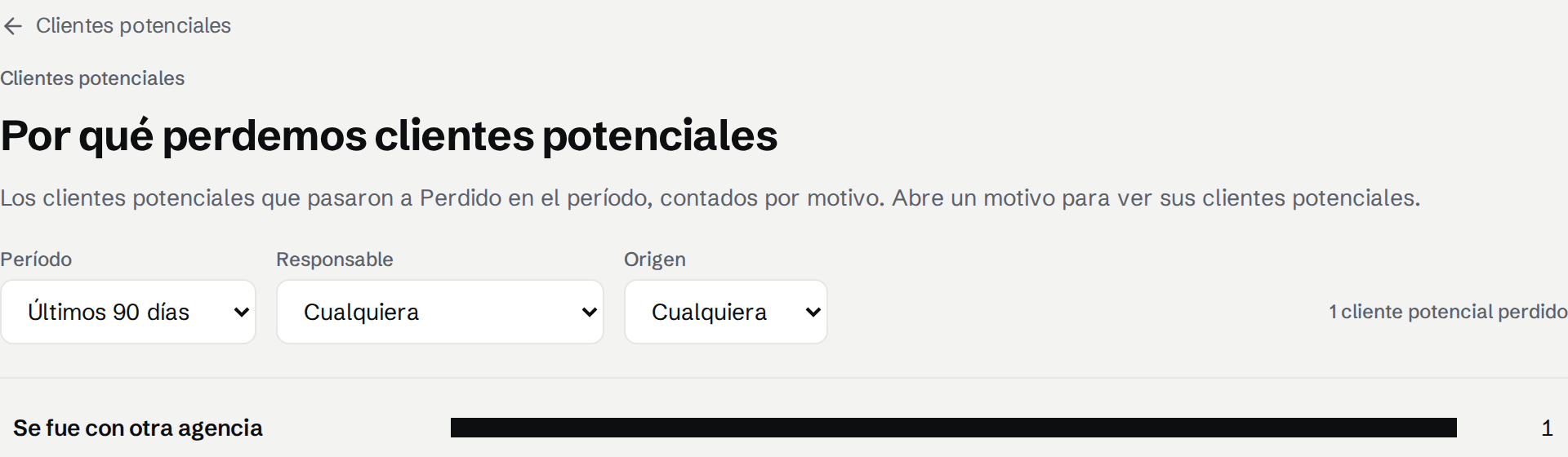
Pick the period
Under Period, switch to Last 30 days or Last 12 months.
Filter by owner or source
Under Owner, look at only yours or one Agent's. Under Source, look at only those that came, for example, from the Website.
Open the leads for a reason
Tap a reason. The list opens on Won/Lost, filtered to Lost, that Lost reason and the same period, so you see who they are.
Related articles
Did this help?